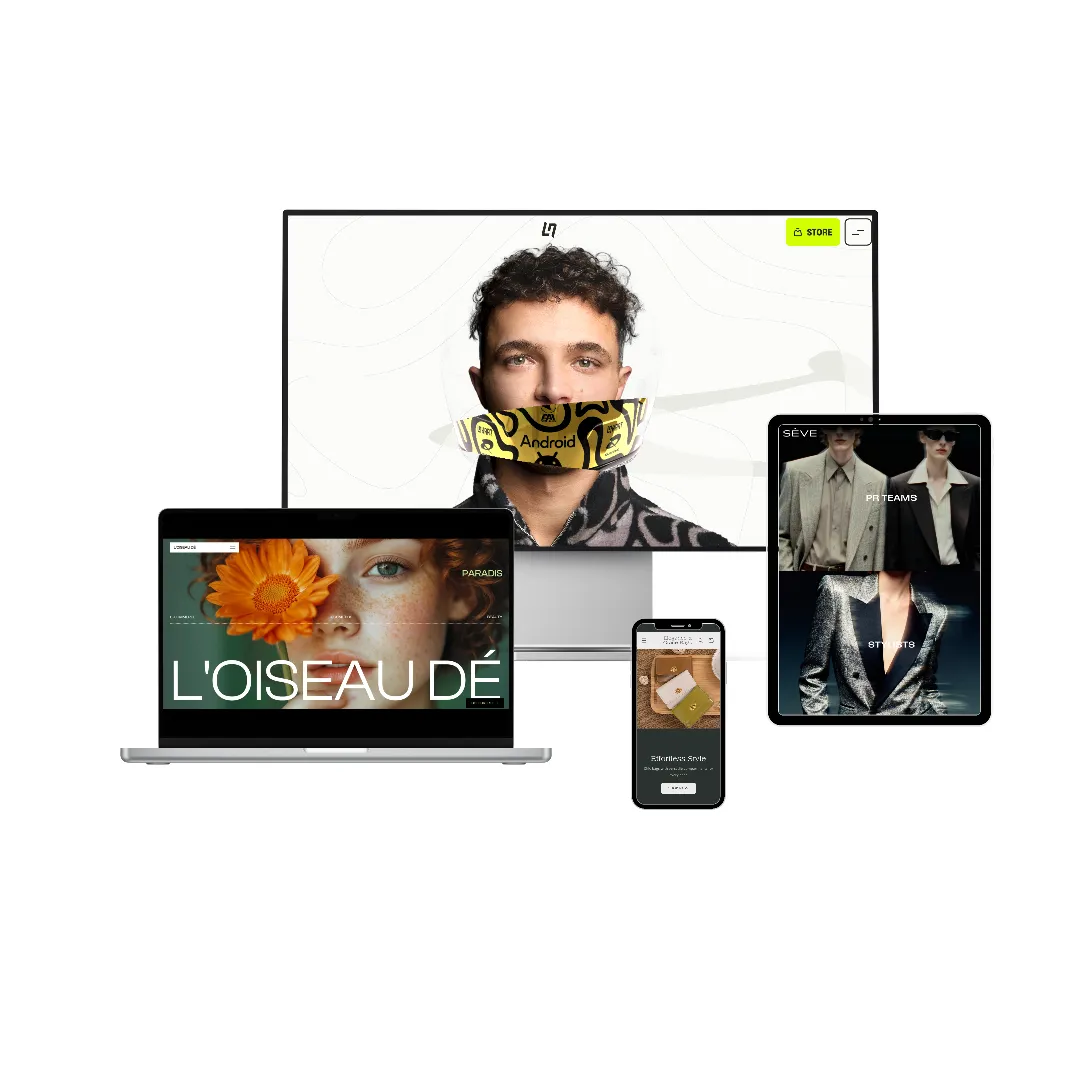
A jaw-dropping storefront is not the busiest one or the one with the most effects. It is the one that commits — to type at a scale most sites never dare, to a tightly rationed palette, to imagery that carries the page, and to motion that behaves like choreography rather than decoration. The single most useful thing to understand about the boldest sites on the web is that almost none of them rely on exotic technology. They are built from the same ingredients every site has access to: type, color, image, space, and a handful of well-chosen scroll techniques used with conviction. The ceiling is not a tool you lack. It is a level of boldness most teams never give themselves permission to reach.
To make that concrete, we took apart one of the boldest sites running today — thefutureinblack.com, a cultural-intelligence studio site that has drawn awards attention for exactly this quality. It reads less like a website and more like a printed art magazine that happens to move. We will walk through what makes it land in the first five seconds, the typographic and color systems underneath it, the motion act by act, and — most important for anyone selling something — how to borrow this energy without breaking conversion, mobile, or speed. Because pure art that buries its own buy button is not bold. It is a failure with good lighting.
Key takeaways
- Boldness, not technology, is the ceiling. The reference uses ordinary, free building blocks — heavy type, full-bleed imagery, CSS blend modes, and standard scroll animation. There is no 3D, no proprietary engine, no secret plugin.
- Type is the hero. The largest object on the page is the wordmark itself, set uppercase and very heavy at billboard scale with extremely tight line spacing, so it reads as a poster rather than a header.
- Palette is rationed; color worlds carry the journey. Near-black on near-white at huge scale is the contrast engine; the background shifts through whole color worlds as you descend, with a warm accent used on only a few percent of the page.
- Motion is a sequence of acts. An expanding hero, type fused to imagery, image-clipped headlines on a pinned sideways scroll, scattered cards, and tilted panels — each tied to a section, none of it random.
- Kinetic typography means type that moves and reacts — letters that scale, that invert against the photo behind them, that hold a photograph clipped inside their shapes.
- Bold can stay fast and shoppable. The trick is layering the spectacle over a fixed conversion skeleton — price, primary button, and add-to-cart that paint first and never wait on animation.
- Mobile and reduced-motion are first-class, not afterthoughts. The heaviest effects must step down to clean, native, fully readable experiences on phones and for anyone who asks for less movement.
What actually makes a storefront jaw-dropping?
It helps to name the quality precisely, because "wow" is doing a lot of work in most conversations about design. A storefront drops jaws when three things happen at once. First, scale: something on the page is dramatically larger than visitors expect — usually the type, sometimes the imagery — so the page reads as confident and editorial rather than tidy and templated. Second, restraint: that scale sits inside a disciplined system of two or three colors and one or two typefaces, so the boldness reads as decided rather than chaotic. Third, choreography: the page moves with intent, revealing and transforming in a way that feels authored, like a sequence of scenes.
The reference site nails all three, and the lesson generalizes. Extravagance in one dimension — scale, motion, or imagery — paired with restraint everywhere else is the entire recipe. Sites that try to be extravagant in every dimension at once read as noise. The jaw-dropping ones pick their drama and protect it with calm.
The first five seconds: a magazine cover that moves
What lands in the opening moments, in order, tells you how the whole site is engineered.
First, a wordmark at billboard scale. The studio's name is set in a fat, high-contrast grotesque — uppercase, very heavy, at a size you would expect on a printed poster, not a web header. It reaches well past two hundred pixels tall, scaling fluidly with the viewport, and the lines are packed so tightly that the leading sits below the height of the letters themselves. The effect is a single solid block of ink that fills the column edge to edge. It reads as a poster, not a page heading.
Second, a portrait nested inside the wordmark. A painterly, surreal image sits between the lines of that giant type — image and type interlocked on one plane, not stacked one above the other. Already the page is breaking the unspoken rule that text goes here and pictures go there.
Third, the flip. As you begin to scroll, that contained portrait expands smoothly to a full-bleed background while the overlaid headline crossfades — from the studio name to its tagline, a cultural intelligence studio. The image does not cut or pop; it grows, scrubbing in lockstep with your scroll, so you feel like you are physically opening the page.
Fourth, type that reacts to the image. The overlay headline uses a CSS blend mode so the words invert against whatever sits behind them — turning white over the dark figure, staying dark over the lighter field. The type is not pasted on top of the photo; it responds to it. This single detail is what most people register, without being able to name it, as "expensive."
Fifth, two tiny alive details: a live local-time clock ticking in the header — "New York, USA" with the minutes advancing — and a slim award-nomination badge pinned vertically to the edge of the screen. Neither is necessary. Both signal that a human sweated the details.
The cumulative feeling is a printed art magazine that moves: restraint in palette, with only about three colors on screen at once, and extravagance in scale, motion, and image. Crucially, nothing on the page is designed to look like a website. That is the whole posture.
Why is the typography so powerful?
Because the type is not a label sitting above the content — it is the content, the largest and loudest object on every screen. This is the first thing to steal, and it is mostly free.
One display face, pushed to an extreme
The site runs a fat, high-contrast grotesque for display and a single clean grotesque for everything else. The display face is set uppercase at weight 900, scaled fluidly up toward a quarter of the viewport width, with letter-spacing tightened slightly and line-height pulled down near 0.75 — far below the comfortable 1.4 or 1.5 of body text. That near-0.75 leading is the secret to the "stacked poster" density: the lines lock together into a mass. The supporting copy uses Inter Tight, a free, widely available grotesque, with a slight negative tracking on the larger statement headlines and comfortable spacing on body text.
The philosophy is not unusual — one display face, one clean sans, tight tracking on the big stuff, generous tracking on small uppercase labels. What is unusual is the volume. The display is two to four times larger, fatter, and more uppercase than a restrained editorial site would allow. The dynamic range between the biggest element and the smallest is enormous, and that range, more than any single font choice, is what reads as confident.
Type as a surface for image and motion
The boldest move is treating the letters themselves as a canvas. One headline is set at giant scale with a photograph clipped inside the letterforms — the image is visible only through the shapes of the characters, and it drifts gently within the glyphs as you scroll. This is done with a standard CSS technique that paints a background image and then clips it to the text, costing essentially nothing in performance. Elsewhere the wordmark reappears as a faint outline — a watermark-scale echo of the brand filling a background panel, present but ghostly.
What is kinetic typography, and where does it show up here?
Kinetic typography simply means type that moves or reacts as part of the experience, rather than sitting still like ordinary copy. It is one of the defining features of bold, motion-led sites, and the reference uses it in three distinct ways:
- Type that scales. The hero wordmark and the section headlines change size and position as you scroll, behaving like physical objects in a scene rather than fixed labels.
- Type that inverts. The blend-mode overlay headline flips between black and white depending on the brightness of the image passing behind it — the words are alive to their background.
- Type that holds an image. The image-clipped headline turns the letters into a window onto a photograph, with the picture parallaxing inside the characters.
Used well, kinetic typography is a feeling, not a gimmick: the words seem to know they are being read. The guardrail — which the reference respects — is that these treatments live on decorative and brand headlines only. The moment you apply a blend mode or a clipped image to a price, a button, or a paragraph someone actually has to read to make a decision, you have traded legibility for spectacle, and that is always a bad trade.
How does the color system create drama without going dark?
This is the most counterintuitive finding, and the most useful. The drama does not come from darkness. "In Black" is the subject of the studio's work and the color of its ink, not the color of its backgrounds. The base is high-key: near-pure black type on near-pure white, at poster scale. That black-on-white at huge size is the contrast engine — it does the heavy lifting that a lesser site would try to get from a moody dark theme.
The page moves through whole color worlds
What changes as you descend is the entire palette. The page travels through distinct color worlds — white gives way to a deep emerald, which gives way to a darker forest green — and each world re-skins the type and accents inside it. The background is not one flat color held the whole way down; it is a sequence of grounds, each marking a new chapter. A warm gold appears only as a tiny spark on small tags and details, rationed to a few percent of the surface, which is exactly why it reads as a precious accent rather than noise.
The exact palette is small and deliberate: pure white and a warm cream for surfaces and cards, near-pure black for the display ink, a structural emerald that doubles as a whole color world and as button fills, a deep forest green for the darkest panels, and the rationed gold for tags. Six colors, three of which are essentially neutrals, and one of which barely appears.
Why this is worth stealing
You can borrow color worlds at a far calmer intensity and still get most of the benefit. Letting a long page shift its background and accent tone at major section boundaries — instead of holding a single flat color from top to bottom — gives a scroll a feeling of progression. It turns a stack of sections into acts in a story. Even a two-world shift, from a light opening to a darker closing, reads as more authored than a uniform page. The technique is cheap: it is a transition on the background and text color, toggled as each section enters the viewport.
What are the actual motion techniques, act by act?
Underneath the spectacle is a tidy, repeatable sequence. Naming the techniques demystifies them — and reveals that the entire site is built from standard, well-understood scroll animation, not magic. The reference is driven by a mainstream animation library and its scroll companion, with a carousel component for the project gallery. There is no 3D, no WebGL, no smooth-scroll layer, and no paid plugin. Everything below is reproducible with tools any site can use.
The expanding hero
The contained portrait grows to full-bleed on scroll while the headline crossfades. It looks like the most complex thing on the page; it is one of the simplest in spirit — a single smooth transform of one image, scrubbed by scroll position, with a fade between two stacked text layers. Critically, only the image's transform animates. The image paints immediately at its small size with no opacity gate, so there is nothing to wait for. The "wow" is in the choreography, not in heavy computation.
Blend-mode type over image
The overlay headline inverts against whatever sits behind it, staying legible whether the photo beneath is light or dark. This is pure CSS — a blend mode applied to a text layer — and it costs nothing to run. The discipline that keeps it tasteful is using it only on decorative headlines and never on copy that has to pass a contrast test, because a difference blend can wash out to an unreadable mid-gray over mid-tones. A solid-color fallback is provided for browsers or settings where the blend cannot be trusted.
Image-clipped headlines on a pinned, sideways scroll
A giant headline filled with a photograph slides horizontally while the section pins in place, the image parallaxing inside the letters. Pinned horizontal scrolling is one of the most dramatic moves in the toolkit and one of the most dangerous, because it temporarily takes over the scroll. The reference keeps it to a single act and to desktop; the move is to use it as a deliberate showpiece, never as the default way to read a page.
Scattered manifesto cards
Cream cards at slight, varied rotations float in over a pinned portrait, each carrying a single line of the studio's manifesto. The collage energy looks loose and hand-arranged; it is built from a simple staggered reveal, with each card starting faintly transparent and slightly displaced, then settling into its baked-in rotation. A touch of per-card parallax at different speeds adds depth.
Diagonal panel seams
Color blocks enter the viewport tilted at a small angle and straighten as they settle, replacing flat horizontal dividers with seams that carry momentum. The angles stay modest — a handful of degrees — and the content inside the panels stays axis-aligned and readable. The tilt is decoration on the container, never on the words.
The throughline details
Around these acts sit the small touches that make the page feel alive: numbered section eyebrows with a thin rule that draws itself in on enter, a scroll cue, the live local-time clock in the header, a pill-shaped menu that opens a full-screen overlay, and the ghost wordmark watermarking background panels. Individually trivial; together, the difference between a page that feels designed and one that feels generated.
The deeper point is structural. The page is built as a sequence of acts — each with its own oversized statement, its own full-bleed showpiece, its own color world — rather than as a uniform grid of boxes. That structure, more than any single effect, is what makes it feel like an experience instead of a page. For more on using motion as a deliberate, conversion-safe layer, our teardown on motion that actually sells goes deep on the dial between subtle, balanced, and bold.
Does bold web design hurt conversion?
It can, badly — but it does not have to, and that distinction is the whole game. The research on scroll effects is consistent: heavy motion reliably raises how good a site feels, but it rarely improves the numbers that matter, and it frequently slows the path to purchase if it is built carelessly. The damage is almost never the motion itself. It is motion placed underneath the things a buyer needs, so that the spectacle has to finish before the person can act.
The reference site sidesteps this entirely, but for a reason worth stating plainly: it is a studio portfolio. It has no cart, no price, no checkout to protect. It can let art lead because there is no sale to lose. A store cannot. So the rule for borrowing this energy is simple and non-negotiable: the spectacle layers over a fixed conversion skeleton, never the other way around.
The conversion skeleton that never moves
These elements paint first, on the initial render, without waiting on any animation:
- Price and the primary button above the fold, always, never faded in by script. If a buyer cannot immediately see how to buy, a percentage of them simply leave.
- Add-to-cart that is persistently reachable — a sticky control on desktop and a bottom bar on mobile — so the buy action is never more than a glance away during the scroll journey.
- Reviews and specifications rendered inline, not tucked behind animated tabs or revealed late by scroll. Hiding decision-making content behind motion can cut its visibility dramatically.
- Decorative-only blend modes and clipped type. Never on a price, a button, or body copy, where a failed contrast check costs a real sale.
- Tap targets of at least 44 by 44 pixels with accessible contrast on every pill and button — including the bright accent pills, which need dark text rather than white to stay legible.
- No email pop-up on load. Capture moves to exit-intent or stays inline, so it never interrupts active buying intent.
The expanding hero is the perfect illustration of the discipline. It may animate the image's transform all it likes — but the headline, the price, and the buy controls are visible on the very first paint, sitting on top. The motion decorates around the sale; it never gates it. This is the same principle we unpack in our guide to what makes a store look expensive: the premium feeling comes from committed decisions, not from hiding the commerce.
How do bold animated sites work on mobile?
They work by gracefully becoming simpler. The patterns that dazzle on a wide desktop screen are frequently the exact ones that break a phone — pinning, scroll-hijacking, hover-dependent effects, and heavy frame-by-frame sequences all fight the device instead of flattering it. The single biggest cause of janky, rubber-banding mobile experiences is a site fighting the phone's own native scroll. So the correct mobile build is not a shrunken desktop; it is a deliberate step-down.
Concretely, here is how each bold pattern should degrade on a phone:
- The expanding hero becomes a clean static image with the tagline — no flip, no pinning. The hero image still loads eagerly so it paints fast.
- Pinned horizontal sections become normal native scrolling, or a simple horizontal swipe with snap points — never a scroll hijack that traps a thumb.
- Scattered cards stack vertically with reduced rotation and no overlap, so nothing covers anything else.
- Diagonal panels keep their angled seam but drop the rotate-in animation, preserving the look without the motion cost.
- Blend-mode type is kept where it is cheap but verified for contrast, with a solid-color fallback if it fails on a small screen.
- Hover-dependent effects switch off entirely, because touch screens have no hover, and native scrolling is left completely untouched.
The same switch that handles phones handles accessibility. When a visitor's device requests reduced motion, the right answer is not "a little less" — it is to skip the animation layer entirely and render every element in its final, fully visible, fully shoppable state. That is both a courtesy and a safety net: if the animation ever fails to load for any reason, the store underneath is still a perfectly readable, perfectly purchasable page. Bold motion should always be an enhancement over a build that already works without it.
Can a bold animated site still be fast?
Yes — and it has to be, because a beautiful page that paints slowly converts worse than a plain one that paints fast. Speed and spectacle fight only if you let them; the discipline that keeps them friendly is mostly invisible to the visitor.
The reference site, despite being heavy with full-bleed art, follows the right habits, and a store borrowing its energy has to follow them even more strictly:
- The hero image loads eagerly and is preloaded, never lazy-loaded, so the largest element paints as early as possible. There is exactly one full-bleed hero image, served in a modern compressed format and sized correctly. Everything below the fold loads lazily.
- Only cheap properties animate — transform, opacity, and clip-path — which the browser can move without re-computing the page layout every frame. The expensive properties that force a re-layout are never animated.
- Layout space is reserved for anything that animates, so nothing jumps as it loads, which protects the visual-stability score.
- Elements are revealed once and then left alone, rather than being watched and re-animated for the life of the page, which keeps the number of active scroll triggers low.
- Heavy display fonts are subsetted to the characters actually used and loaded so they swap in without causing a late layout shift — a real risk when a single headline is two hundred pixels tall.
The stakes are concrete: a product page that paints in just over a second converts dramatically better than the same page at four-and-a-half seconds. Motion can never be the reason the buy-box is slow to appear. Done right, the bold build and the fast build are the same build.
How to borrow this energy for your own store
You do not need to copy the reference to learn from it. The transferable doctrine fits in a short list:
- Pick one dimension to be extravagant. Most likely type. Push your display face larger, heavier, and tighter than feels comfortable, and let it be the biggest object on the page.
- Ration everything else. Two or three colors, one or two typefaces, one accent used on a few percent of the surface. Restraint is what licenses the boldness.
- Structure the page as acts. Give each major section its own statement, its own showpiece, and — if you are feeling bold — its own color world, so the scroll feels like a journey.
- Use kinetic type sparingly and decoratively. Let a headline scale, invert, or hold an image — but never your prices or buttons.
- Protect the buy path absolutely. Price, primary button, and add-to-cart paint first and stay reachable; reviews stay inline; nothing critical waits on animation.
- Build the phone and reduced-motion versions deliberately, as clean, native, fully shoppable step-downs rather than broken desktop leftovers.
That is the entire method. The reference simply executes it with more nerve than almost anyone else. If you want the rules that sit underneath all of this — type, color, texture, and space — our companion piece on what makes a store look expensive is the field guide, and the Zentrix blog keeps adding teardowns like this one.
The ceiling on a jaw-dropping storefront is not a technology you are missing. It is a level of boldness you have not yet allowed yourself — built on a foundation that stays fast, readable, and shoppable underneath all the drama.
How Zentrix builds with this
This is the high end of what Zentrix's AI can design — a bold, kinetic direction with billboard-scale type, image-fused headlines, an expanding hero, and color worlds that morph as you scroll. And it is built on the same principles every Zentrix store uses: one committed visual world, one display face paired with a clean sans, a rationed accent, motion treated as a dial layered over a protected buy path, and a build that degrades gracefully on phones and for reduced motion. When you describe your idea, the system picks a committed direction for your brand, sets the type and palette with intent, choreographs tasteful scroll motion, and keeps price, add-to-cart, and reviews fast and visible the whole way through — the things a senior design studio does by hand, applied automatically to every page.
You do not need a studio or a six-figure budget to get this feeling. You need a system that knows the rules and applies them every time, including the unglamorous ones about speed and the buy button. Build your store and aim high, or see everything Zentrix designs for you.
Frequently asked questions
What makes a website look "jaw-dropping"?
Three things working at once: dramatic scale (usually type that is far larger than visitors expect), strict restraint (a palette of two or three colors and one or two typefaces), and intentional choreography (motion that reveals and transforms the page like a sequence of scenes). Extravagance in one dimension paired with calm everywhere else is the recipe. Sites that try to be loud in every dimension at once read as noise, not nerve.
Does bold web design hurt conversion?
Only when the spectacle is placed underneath the things a buyer needs. Bold design hurts conversion if the price, the primary button, or the add-to-cart waits on an animation to finish, or if reviews are hidden behind animated tabs. Layer the boldness over a fixed conversion skeleton — buy controls that paint first and stay reachable, reviews inline — and a bold store can convert as well as a plain one while feeling far more premium.
What is kinetic typography?
Kinetic typography is type that moves or reacts as part of the experience instead of sitting still. It includes letters that scale and reposition as you scroll, headlines that invert their color against the image behind them, and type that holds a photograph clipped inside its shapes. Used well it makes the words feel alive to the reader. The key guardrail is to keep these effects on decorative headlines and never on prices, buttons, or body copy that has to stay perfectly legible.
Can a bold animated site still be fast?
Yes. Speed and motion only fight if you build carelessly. Animate only cheap properties like transform and opacity, load and preload one well-compressed hero image eagerly, reserve layout space so nothing jumps, reveal elements once instead of re-animating them, and subset heavy display fonts. A product page that paints in about a second converts far better than the same page at four-plus seconds, so motion can never be the reason the buy-box is slow to appear.
How do bold animated sites work on mobile?
They work by becoming simpler. Effects that depend on pinning, scroll-hijacking, or hover should step down on phones: the expanding hero becomes a clean static image, pinned horizontal sections become normal native scrolling, scattered cards stack without overlap, and hover effects switch off. The phone's native scroll is left completely untouched, because fighting it is the main cause of janky mobile experiences. The mobile build is a deliberate step-down, not a shrunken desktop.
Do you need special technology to build a site this bold?
No. The boldest sites are built from ordinary, widely available ingredients — heavy type, full-bleed imagery, CSS blend modes and clipping, and standard scroll-animation libraries. The reference studied here uses no 3D, no WebGL, and no paid plugins. The limiting factor is rarely tooling; it is the willingness to commit to scale, restraint, and choreography.
What are "color worlds" in web design?
Color worlds are full-section palette changes that a page moves through as you scroll, rather than a single flat background held from top to bottom. Each world re-skins the background, text, and accent colors, so a long scroll feels like moving through chapters or acts. Even a simple two-world shift — a light opening giving way to a darker close — reads as more authored than a uniform page, and it is cheap to implement as a transition on the background and text colors.
How does Zentrix keep a bold store fast and shoppable?
Zentrix's AI treats motion as a dial layered over a fixed conversion skeleton. Price, primary button, and add-to-cart paint on the first render and stay reachable; reviews and specs render inline; blend-mode and clipped type stay decorative-only; the hero image loads eagerly; and the whole experience steps down to a clean, native build on phones and for anyone who requests reduced motion. The result is the feel of an award-tier site without sacrificing speed or the sale.